Closest Prediction
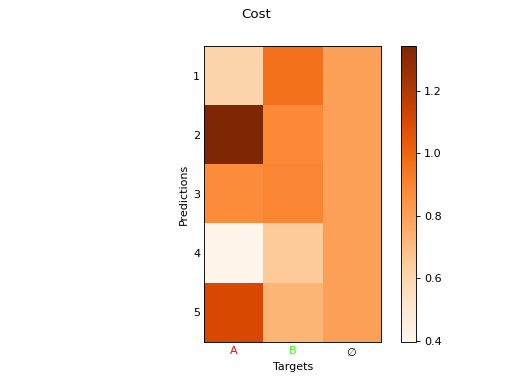
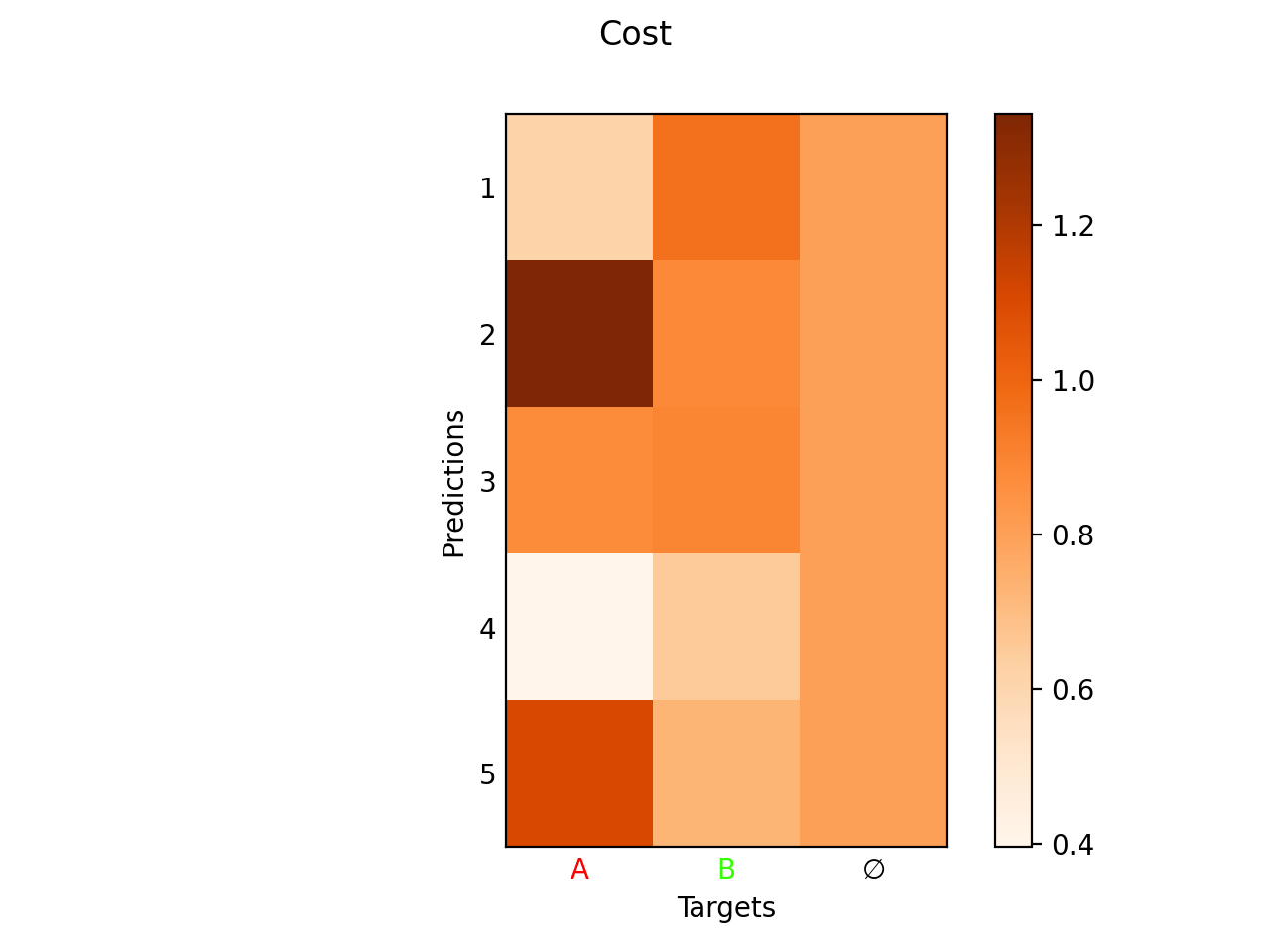
We consider the matching cost \(\mathcal{L}_{\text{match}}\) = cls_match_module + loc_match_module between the \(N_p\) predictions \(\hat{\mathbf{y}}_i\) and \(N_t\) targets \(\mathbf{y}_j\). In particular, the cost of the background \(\mathbf{y}_{N_t+1} = \varnothing\) is given by \(\mathcal{L}_{\text{match}}\left(\hat{\mathbf{y}}_i, \varnothing\right)\) = bg_cost.
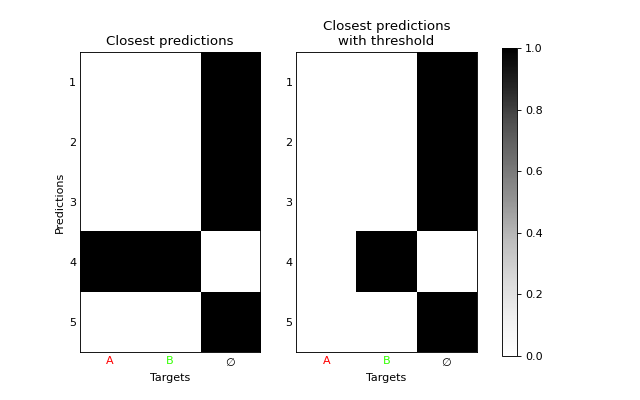
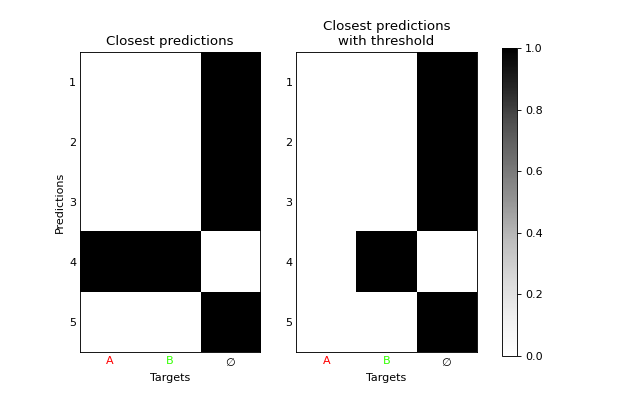
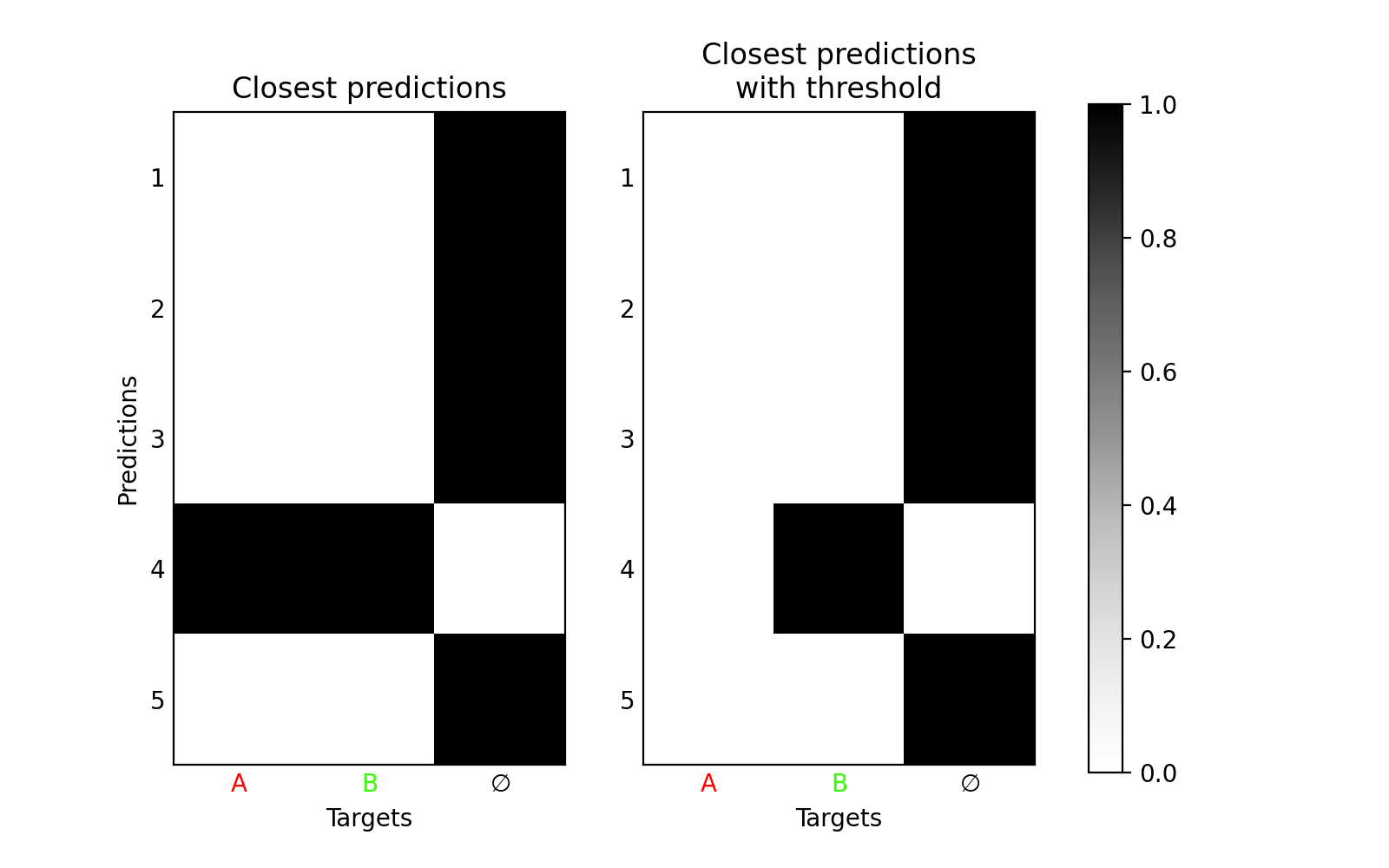
This class computes an exact minimum over the targets, in other words it matches each prediction to the closest target. The match \(\mathbf{P}\) is given by for the first \(N_t\) targets.
For the background \(N_t+1\), it is either uniform, either \(1\) for all unmatched predictions and \(0\) for the others, depending on the parameter uniform_background (see further).
For the opposite where each target is matched towards the closest prediction, we refer to uotod.match.ClosestTarget.
Class
- class uotod.match.ClosestPrediction(**kwargs)
Each target is matched to the closest prediction.
- Parameters:
threshold (float, optional) – Threshold value. Defaults to 0.
uniform_background (bool, optional) – Indicates whether the background should be uniform, which is the limit case of the UnbalancedOT (True), or only the unmatched predictions are matched to the background (False). Defaults to False.
cls_match_module (_Loss) – Classification loss used to compute the matching, if any.
loc_match_module (_Loss) – Localization loss used to compute the matching, if any.
background (bool, optional) – Indicates whether there is a background. Defaults to True.
background_cost (float, optional) – Cost of the background class. Defaults to 10.
is_anchor_based (bool, optional) – If True, the matching is performed between the anchor boxes and the target boxes.
- compute_cost_matrix(input: Dict[str, Tensor] | List[Dict[str, Tensor]], target: Dict[str, Tensor] | List[Dict[str, Tensor]], anchors: Tensor | None = None) Tensor
Computes a batch of cost matrices between the predicted and target boxes.
- Parameters:
input (dictionary) – Input containing the predicted logits and boxes. “pred_logits”: Tensor of shape (batch_size, num_pred, num_classes). “pred_boxes”: Tensor of shape (batch_size, num_pred, 4), where the last dimension is (x1, y1, x2, y2).
target (dictionary) – Target containing the target classes, boxes and mask. “labels”: Tensor of shape (batch_size, num_targets). “boxes”: Tensor of shape (batch_size, num_targets, 4), where the last dimension is (x1, y1, x2, y2). “mask”: Tensor of shape (batch_size, num_targets).
anchors (Tensor) – the anchors used to compute the predicted boxes. (batch_size, num_pred, 4), where the last dimension is (x1, y1, x2, y2).
background (bool, optional) – Indicated whether the background has to be added.
- Returns:
the matching between the predicted and target boxes: Tensor of shape (batch_size, num_pred, num_targets + 1) or (batch_size, num_pred, num_targets) if background is False.
- Return type:
Tensor (float)
- compute_matching(cost_matrix: Tensor, target_mask: Tensor | None) Tensor
Computes the matching.
- Parameters:
cost_matrix (Tensor) – Cost matrix of shape (batch_size, num_pred, num_targets + 1).
target_mask (BoolTensor, optional) – Target mask of shape (batch_size, num_targets).
- Returns:
The matching \(\mathbf{P}\) for each element of the batch. Tensor of shape (batch_size, num_pred, num_targets + 1). The last entry of the last dimension [:, :, num_target+1] is the background.
- forward(input: Dict[str, Tensor] | List[Dict[str, Tensor]], target: Dict[str, Tensor] | List[Dict[str, Tensor]], anchors: Tensor | None = None, cost_matrix: Tensor | None = None, save: bool = True) Tensor | Tuple[Tensor, Tensor]
Computes a batch of matchings between the predicted and target boxes.
- Parameters:
input (dictionary) – Input containing the predicted logits and boxes. “pred_logits”: Tensor of shape (batch_size, num_pred, num_classes). “pred_boxes”: Tensor of shape (batch_size, num_pred, 4), where the last dimension is (x1, y1, x2, y2).
target (dictionary) – Target containing the target classes, boxes and mask. “labels”: Tensor of shape (batch_size, num_targets). “boxes”: Tensor of shape (batch_size, num_targets, 4), where the last dimension is (x1, y1, x2, y2). “mask”: Tensor of shape (batch_size, num_targets).
anchors (Tensor) – the anchors used to compute the predicted boxes. (batch_size, num_pred, 4), where the last dimension is (x1, y1, x2, y2).
- Returns:
the matching between the predicted and target boxes, and the cost matrix if returns_cost is True: Tensor of shape (batch_size, num_pred, num_targets + 1). The last entry of the last dimension is the background.
- Return type:
Tensor (float) or Tuple(Tensor, Tensor)
- plot(idx=0, img: Tensor | ndarray | None = None, plot_cost: bool = True, plot_match: bool = True, max_background_match: float | int = 1.0, background: bool = True, erase: bool = False)
Plots from the last batch # TODO: extensive description
- Parameters:
idx (int, optional) – Index of the image to be plotted.
img (Tensor or ndarray, optional) – Image to be plotted. If it is not None, the boxes plot is computed.
plot_cost (bool, optional) – Plots the cost matrix between the predictions and the targets, including background.
plot_match (bool, optional) – Plots the cost matrix between the predictions and the targets, including background.
max_background_match (float, optional) – A threshold to only plot relevant matched predictions. The predictions are only plotted if the value matched to the background does not exceed max_background_match. Defaults to 1.
- Returns:
Matplotlib figures
- Return type:
Tuple(fig, fig, fig)
- property threshold: float
Threshold value.
- property uniform_background: bool
Example
import uotod
from uotod.sample import input, target, imgs

# PARAMETERS
IDX = 0
THRESHOLD = 0.5
L = uotod.loss.GIoULoss(reduction='none')

# DEFINE THE MATCHING STRATEGIES
M_target = uotod.match.ClosestPrediction(loc_match_module=L, background=True, background_cost=.8)
M_target_threshold = uotod.match.ClosestPrediction(loc_match_module=L, threshold=THRESHOLD, background_cost=.8)

# COMPUTE MATCHES
m_target = M_target(input, target)[IDX, :, :]
m_target_threshold = M_target_threshold(input, target)[IDX, :, :]

## ILLUSTRATIONS
fig_img, fig_cost, _ = M_target.plot(idx=IDX, img=imgs, plot_match=False)
fig_img.show()
fig_cost.show()

fig_matches = uotod.plot.multiple_matches([m_target, m_target_threshold],
                                          subtitles=['Closest predictions',
                                                     'Closest predictions\nwith threshold'],
                                          subplots_disp=(1, 2),
                                          figsize=(8, 5))
fig_matches.show()
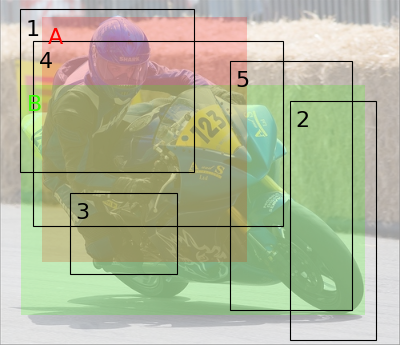
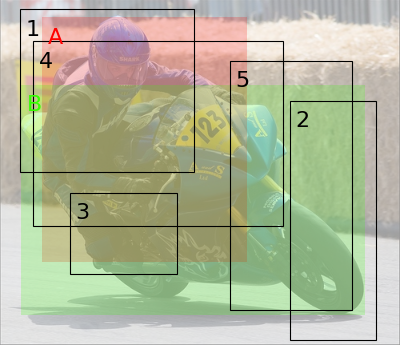
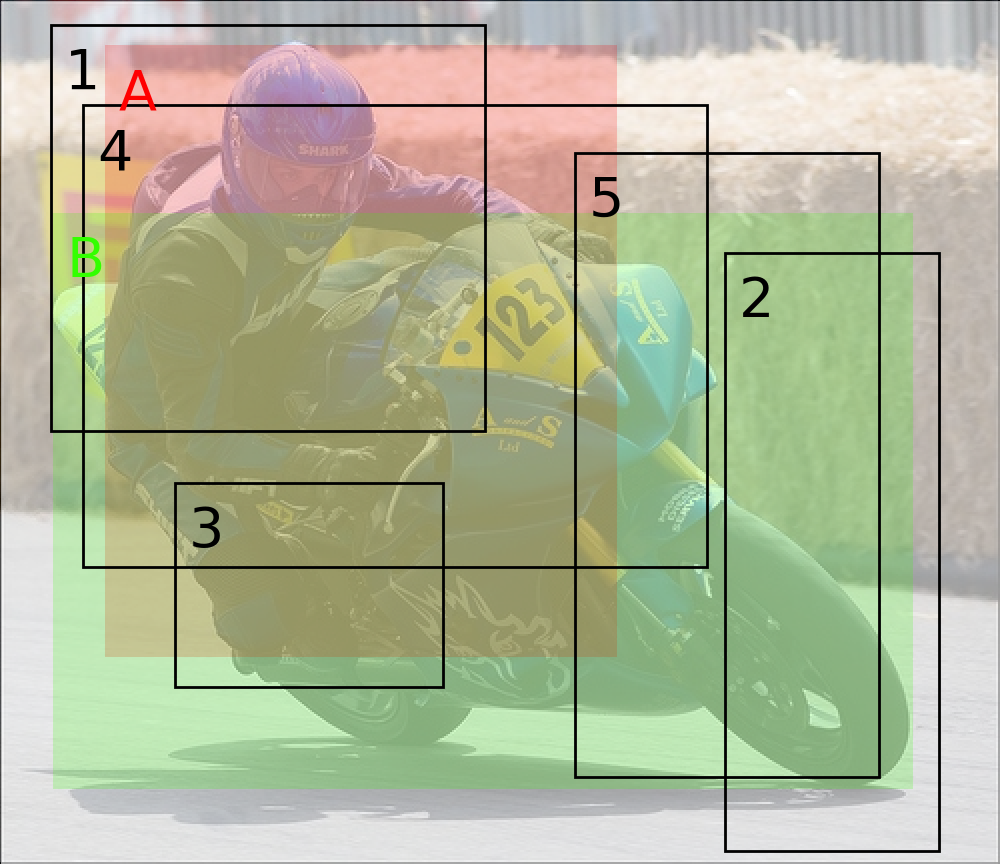
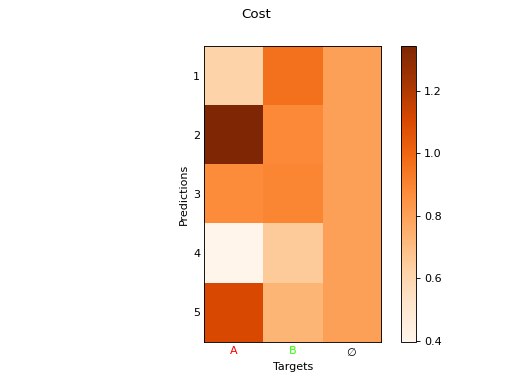
From the Closest Prediction to the Hungarian Algorithm
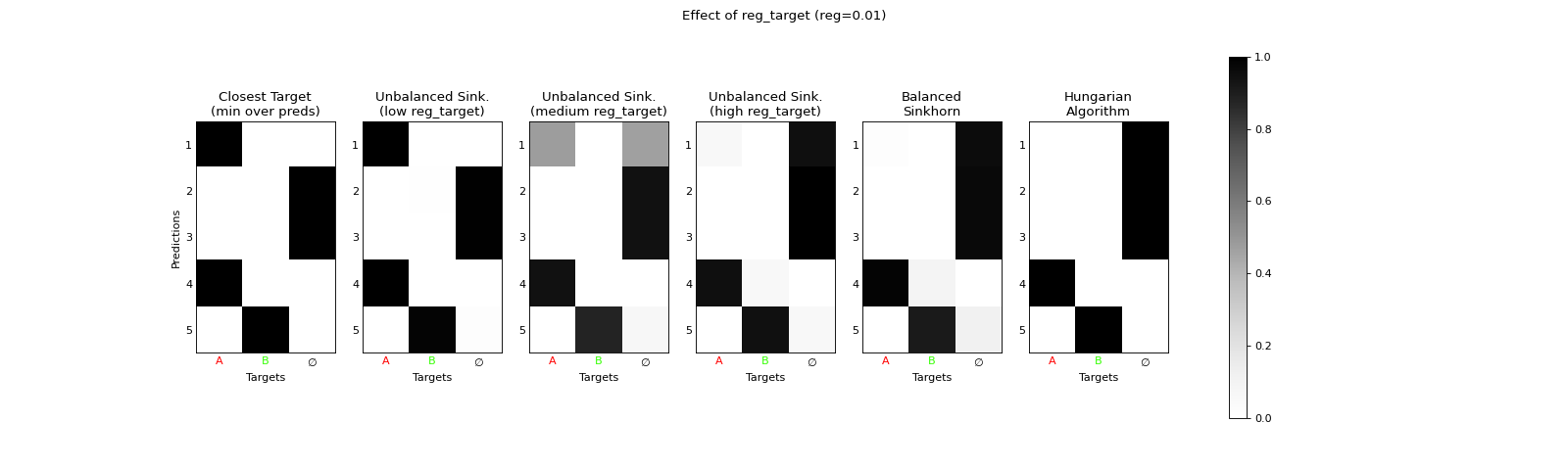
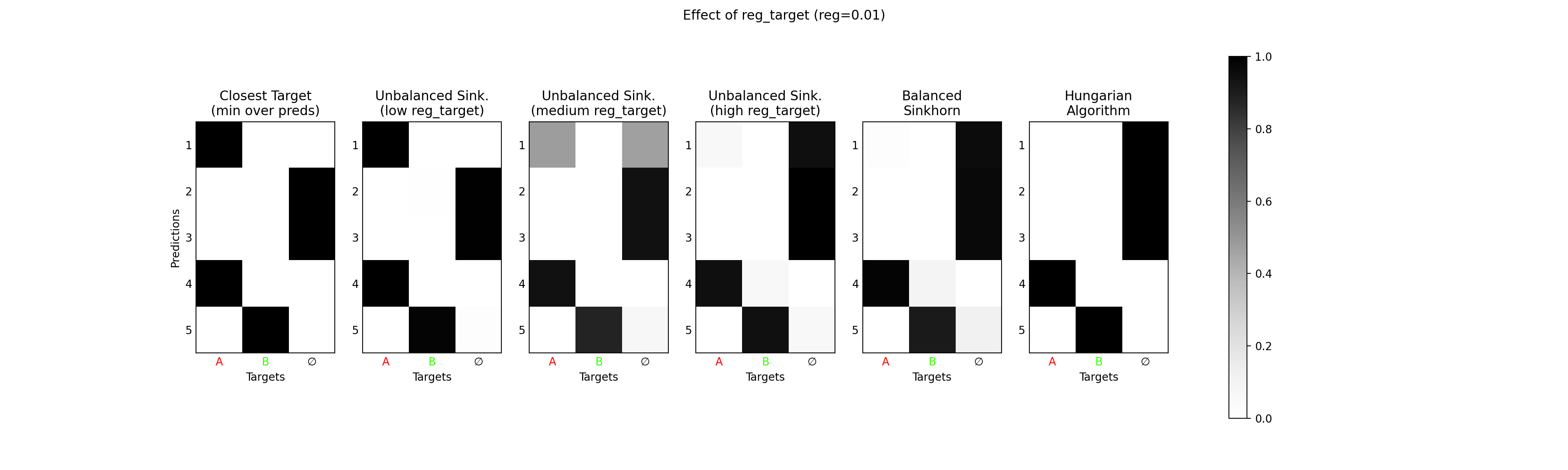
The module uotod.match.UnbalancedSinkhorn with low regularization can play the role of an interpolant between
uotod.match.ClosestPrediction and uotod.match.Hungarian (or uotod.match.BalancedSinkhorn with the same low
regularization).
A high reg_target will enforce a strong respect of the mass constraints on the predictions. If reg_pred is
close to zero, this will emulate a minimum as the problem essentially minimizes the objective for each target,
disregarding the mass constraints on the predictions. For a high reg_pred, the problem will essentially minimize the
same objective as the uotod.match.BalancedSinkhorn, which approximates the uotod.match.Hungarian with
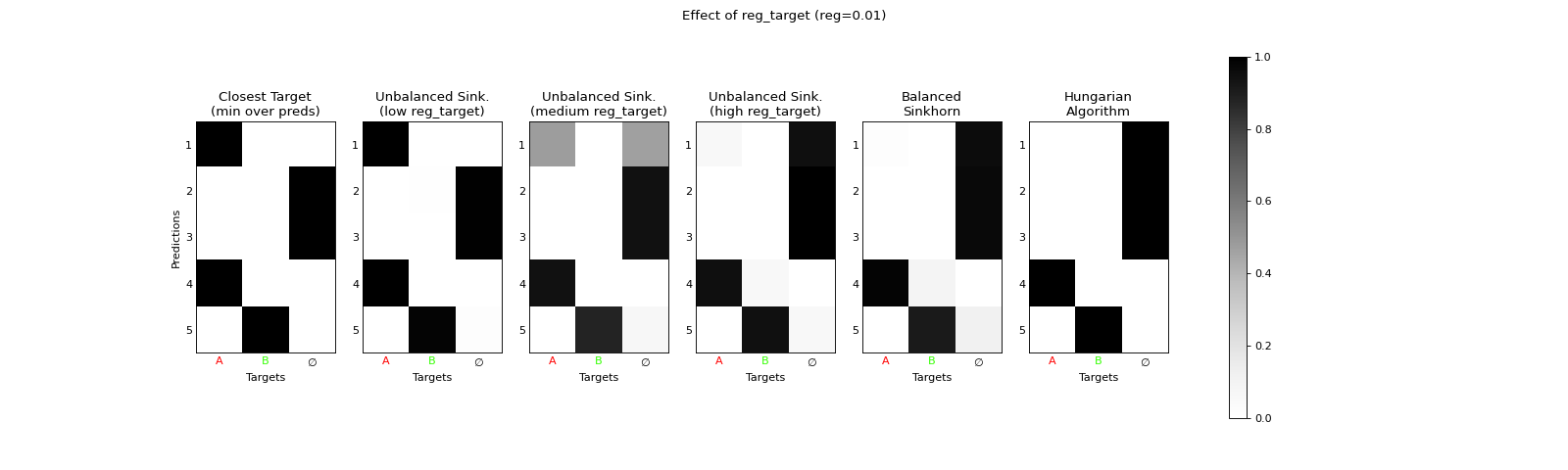
a low regularization. This is illustrated in the following example.
import uotod
from uotod.sample import input, target, imgs

L = uotod.loss.GIoULoss(reduction='none')

M_closest = uotod.match.ClosestTarget(loc_match_module=L, background_cost=0.8)
M_unb_small = uotod.match.UnbalancedSinkhorn(loc_match_module=L, background_cost=0.8, reg=0.01, reg_pred=1.e+4, reg_target=1.e-2)
M_unb_med = uotod.match.UnbalancedSinkhorn(loc_match_module=L, background_cost=0.8, reg=0.01, reg_pred=1.e+4, reg_target=.2)
M_unb_big = uotod.match.UnbalancedSinkhorn(loc_match_module=L, background_cost=0.8, reg=0.01, reg_pred=1.e+4, reg_target=1.e+4)
M_balanced = uotod.match.BalancedSinkhorn(loc_match_module=L, background_cost=0.8, reg=0.01)
M_hungarian = uotod.match.Hungarian(loc_match_module=L, background_cost=0.8)


matches = [M_closest(input, target)[0, :, :],
           M_unb_small(input, target)[0, :, :],
           M_unb_med(input, target)[0, :, :],
           M_unb_big(input, target)[0, :, :],
           M_balanced(input, target)[0, :, :],
           M_hungarian(input, target)[0, :, :]]

fig_matches = uotod.plot.multiple_matches(matches=matches,
                                          subtitles=['Closest Target\n(min over preds)',
                                                     'Unbalanced Sink.\n(low reg_target)',
                                                     'Unbalanced Sink.\n(medium reg_target)',
                                                     'Unbalanced Sink.\n(high reg_target)',
                                                     'Balanced\nSinkhorn',
                                                     'Hungarian\nAlgorithm'],
                                          title='Effect of reg_target (reg=0.01)',
                                          figsize=(20, 6))
fig_matches.show()
(Source code, png, hires.png, pdf)
When a edge case is seeked after–either uotod.match.ClosestPrediction or uotod.match.Hungarian–, we encourage
to directly use these modules instead of the module uotod.match.UnbalancedSinkhorn, which is slower in
computation time. The latter should only be used when seeking for an in-between case.
Note
Similarly, when a higher regularization is used, the module uotod.match.UnbalancedSinkhorn plays the role of an
interpolant between a uotod.match.SoftMin and a uotod.match.BalancedSinkhorn with the same
regularization.
Note
The opposite case with a high reg_pred will approximate uotod.match.ClosestTarget.